As I was writing these other post and coding the agents, I was having some doubts about whether or not they agents were actually running or not. I did add some Terminal prompting but there was still some doubt. I needed to discover some additional perspectives on how to monitor and measure my AI Agents inference and output.
- Implement a hub-and-spoke orchestration
- Advanced multi-agent orchestration architectures
- Forking Agent inference for managing complex domains and high-impact decisions
- Develop generative AI apps that use tools
The solution is to configure Application Insights. I created this short YouTube video: Add Application Insights To Azure App Service, about Application Insights, but this is not required for basic logging, only if you want more customized logging.
In Figure 1 you can see the capability to connect Application Insights to an AI Agent is simple and also intuitive.
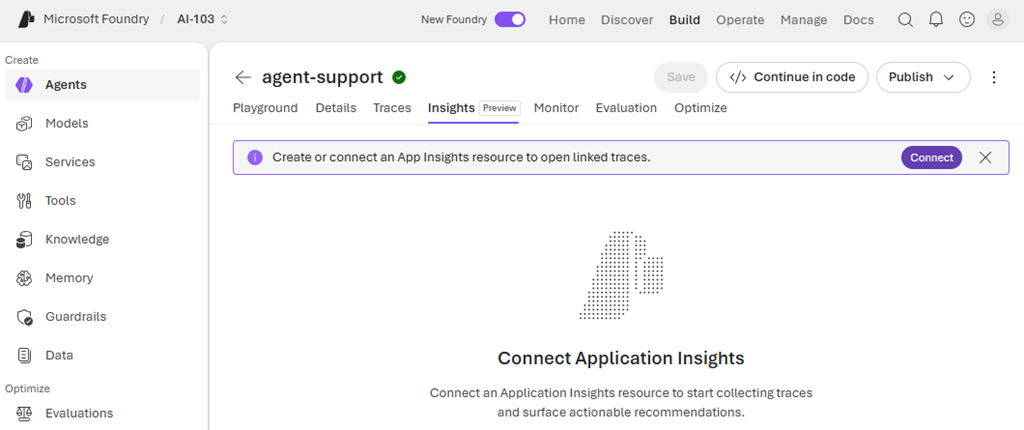
Figure 1, monitoring and measuring your AI Agents, configuration
You need to first manually provision an Application Insights workspace before you can make the configuration. One great advancement I noticed is that during the connection between the AI Agent and the AI workspace the platform configured the RBAC permission. This was a common stumbling block, but now it not only configures the permission for you, it chooses the permission to grant, there are a lot of them, so this saves lots of time.
So after you make the configuration, execute your hub-and-spoke, fan-in/fan-out, or any other multi-agent workflow solution and you can see the details of their execution. Figure 2 illustrates such.
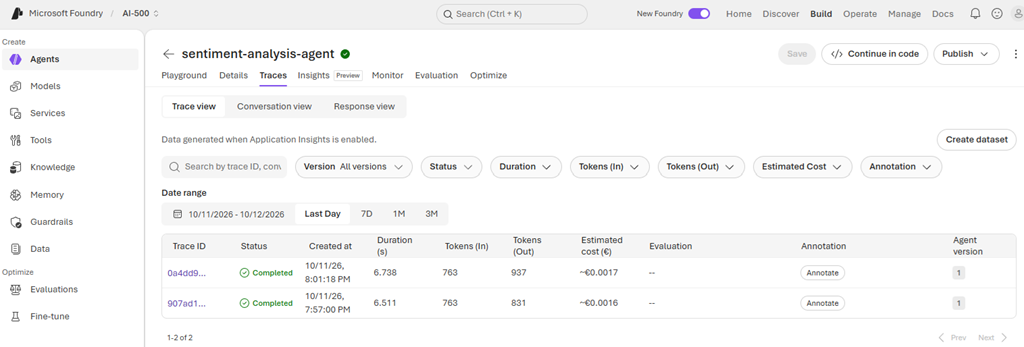
Figure 2, monitoring and measuring your AI Agents, dashboard
This shows some nice information, cost is an important one, nice to see it is not too expensive, I am just testing here so, expected. Input tokens, output tokens, and duration are also helpful. If you select the Trace ID you can see the details which is very nice as well.
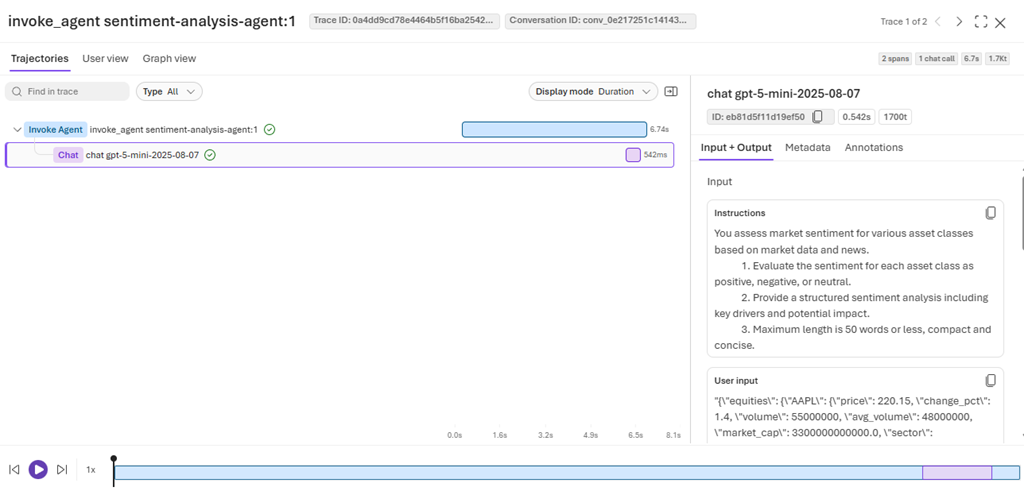
Figure 3, monitoring and measuring your AI Agents, details (input prompt and inferred AI output)
There are different views, but something I really like is that I can look at the Input and Output which was sent and inferred. This is very helpful to get some insights into what users are experiencing. Also, note that although this is a 1-by-1 view, Application Insights is backed by Log Analytics which is a full data store where larger queries can be executed, analytics run to gain great insights into large scale production multi-agent AI workflows.
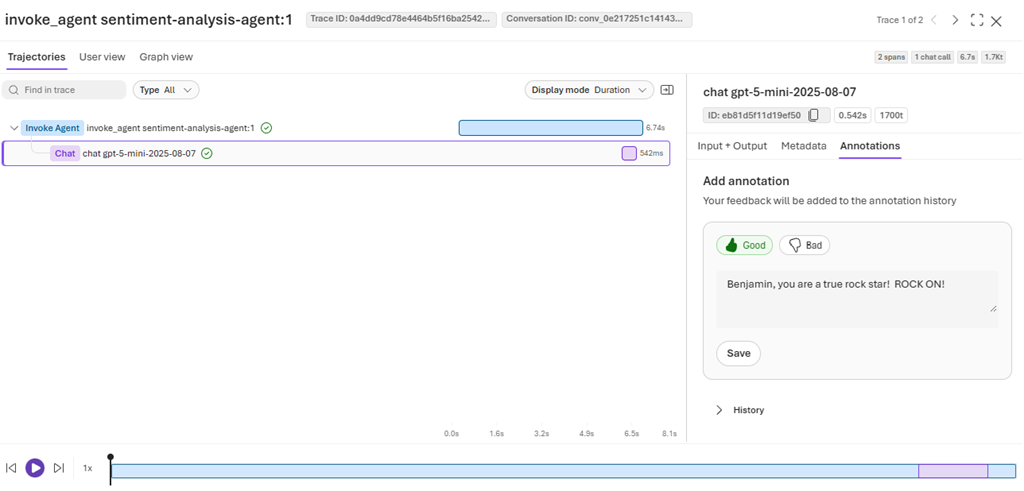
Figure 4, monitoring and measuring your AI Agents, details (feedback annotations)
Lastly, there is an Annotation if you happen to be doing some manual, small scale analysis. Which again can be retrieved from the Log Analytics data store later. I would expect that there is an interface which would allow for this to be presented to consumers of this multi-agent workflow to give feedback. Using Log Analytics again would give great insights.