As of writing this article the Azure SRE Agent is in preview release.
After provisioning an Azure SRE Agent a common activity is to configure the Agent to monitor and act upon an alert. The Azure SRE Agent currently supports 3 incident platforms: Azure Monitor, PagerDuty, and ServiceNow, as shown in Figure 1.
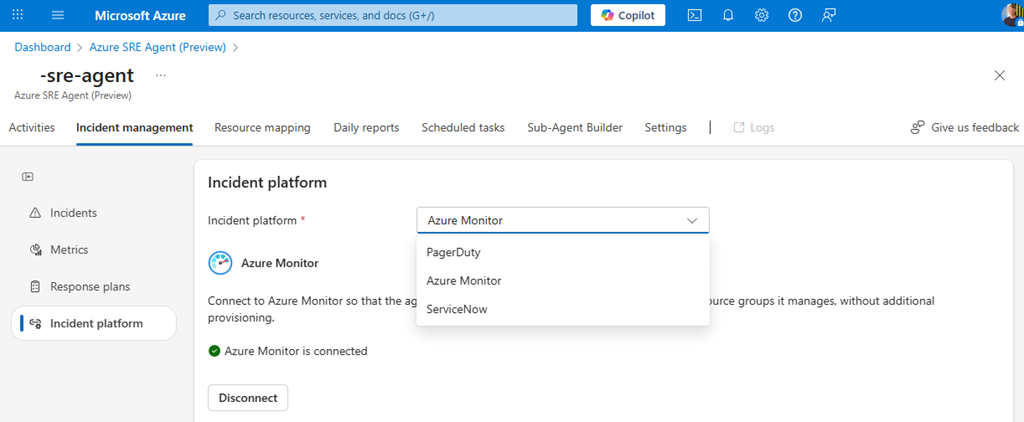
Figure 1, Azure SRE Agent, Incident Management, Incident platform
This article focuses on Azure Monitor. To configure an Azure Monitor alert to wire up with the Azure SRE Agent navigate to the Azure resource you want to monitor and select the Alert, as seen in Figure 2.
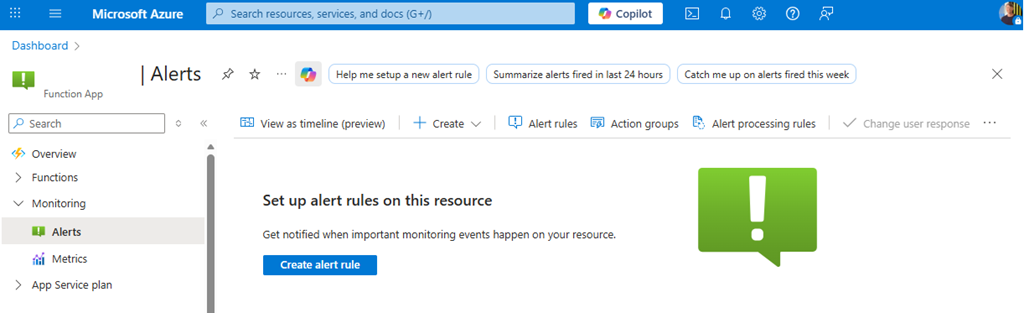
Figure 2, Azure SRE Agent, Azure Monitor Alert configuration
Select the Create alert rule button. An example Alert rule is shown in Figure 3, however the rule is dependent on the requirements of your application. This rule condition will trigger an alert when there exists more than 2 HTTP 4xx error status codes in a 5 minute time window, the rule checks once per minute.
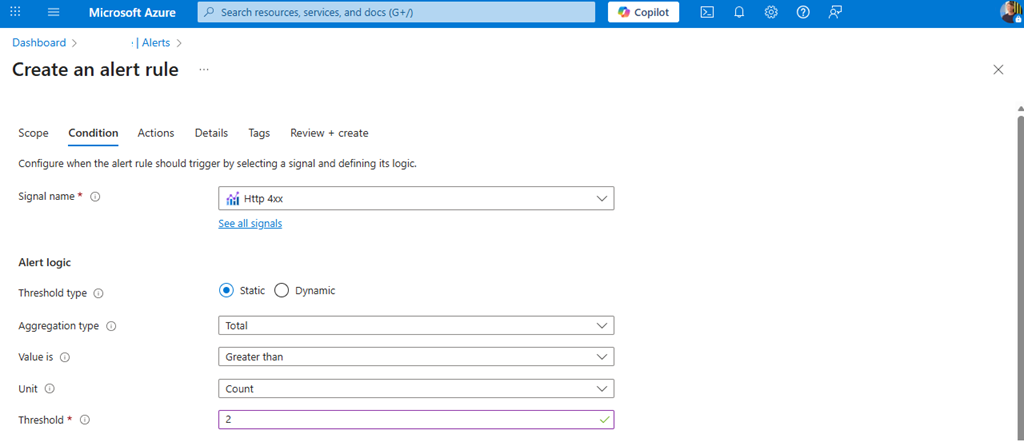
Figure 3, Azure SRE Agent, Azure Monitor Alert configuration – Condition
For this simple example there will be no Action group created. As seen in Figure 4, add the details to the alert rule.
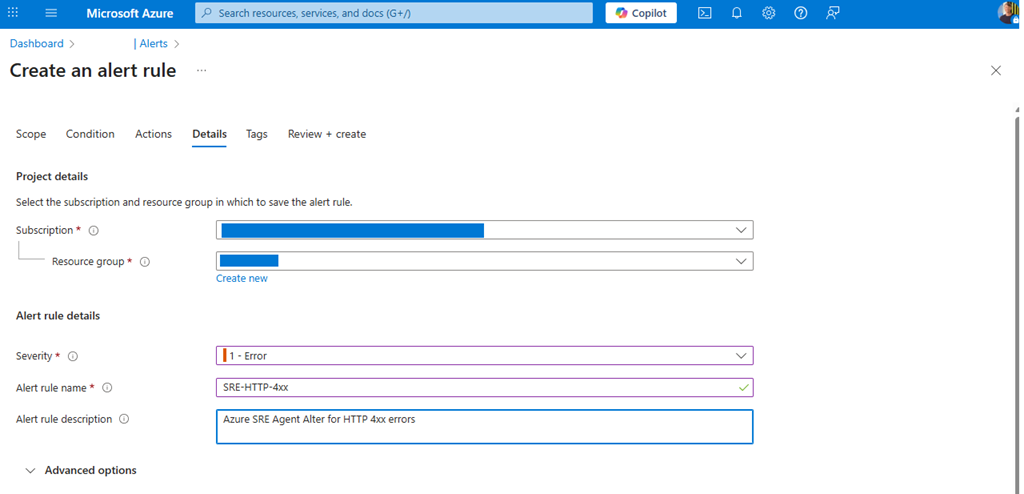
Figure 4, Azure SRE Agent, Azure Monitor Alert configuration – Alert rule details
After a few moments navigate back to the Azure SRE Agent and and view, Figure 5, its inclusion into the Azure SRE Agent resource mapping real realm.
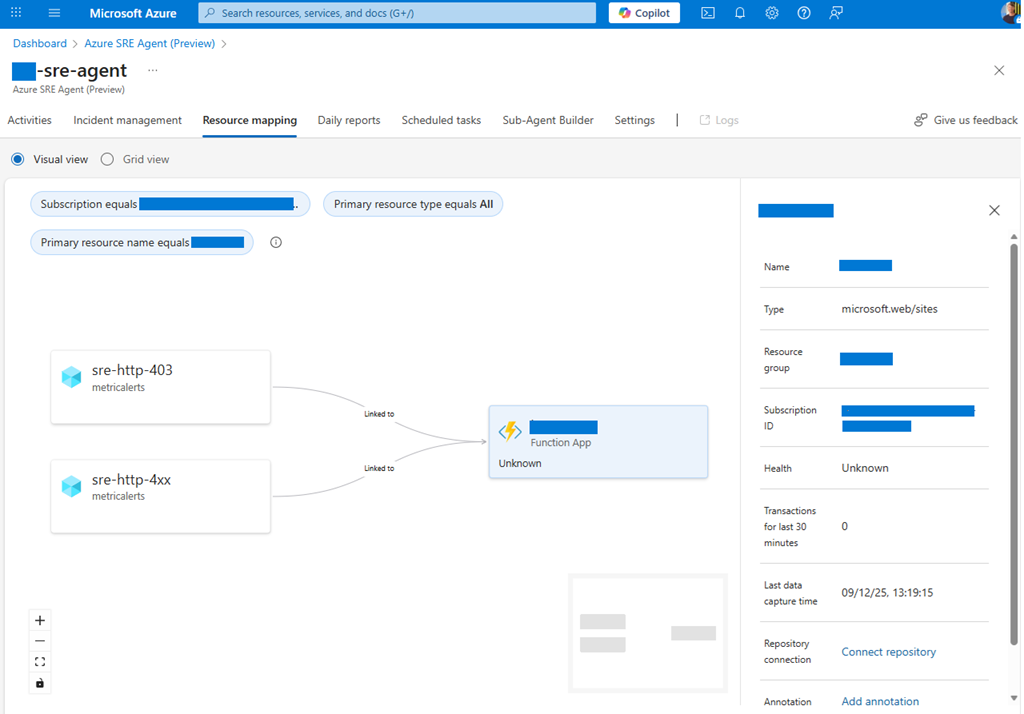
Figure 5, Azure SRE Agent, Resource mapping, Azure Monitor, Alert rules
********************************************************************************************
NOTE: You must navigate to the Azure SRE Agent -> Incident management -> Response plans and configure the quickstart_handler to monitor All severity.
It is currently defaults to Sev3, so only Alerts with that level would be actioned.
********************************************************************************************
When an HTTP 4xx status code occurs then the Alert is triggered, as seen in Figure 6.
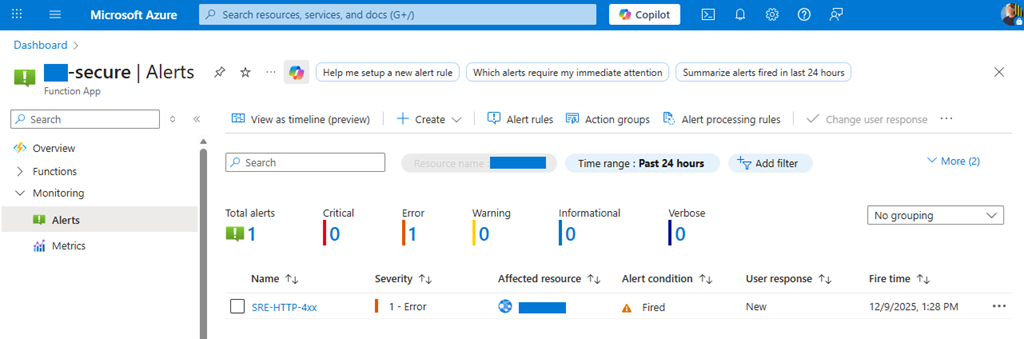
Figure 6, Azure SRE Agent, Azure Monitor, Alert rules, HTTP 400
Navigate to the Azure SRE Agent and view the recognized Azure Monitor Alert, Figure 7.
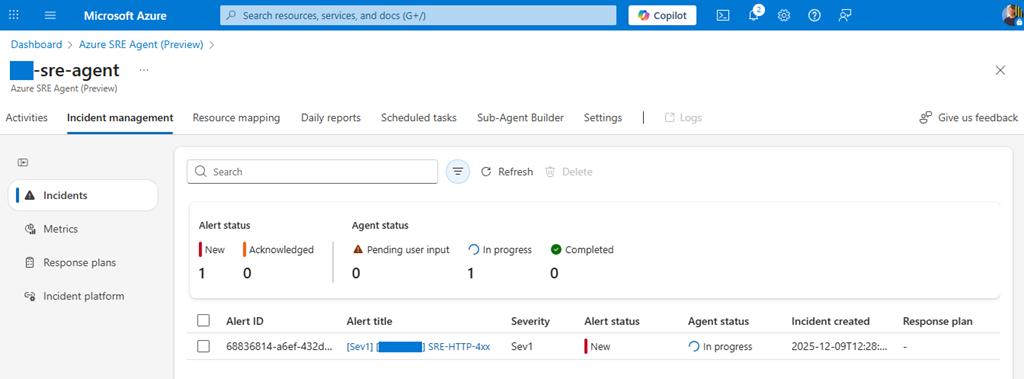
Figure 7, Azure SRE Agent, Incident management, Azure Monitor, Alert
You can then click on the Alert title and view the Agent perform its analysis. Once the analysis is complete you can continue to prompt the Azure SRE Agent about that specific alert, as seen in Figure 8.
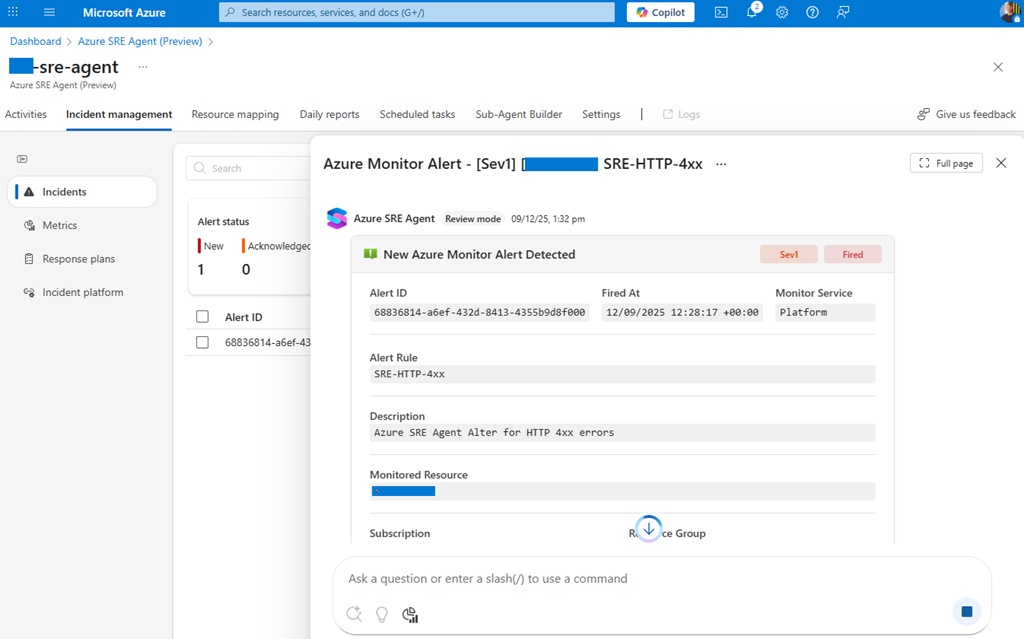
Figure 8, Azure SRE Agent, Incident management, Azure Monitor, Alert, Prompting
Here are a few links to information about configuring ServiceNow and PagerDuty.